
Apa itu GeoSentinel?
GeoSentinel adalah platform monitoring geospasial yang melacak pergerakan global secara real-time. Platform ini mengagregasi rute kapal dan pesawat, koordinat live, dan geodata ke dalam sistem terpadu, memberikan kesadaran geografis dan geopolitik yang jelas untuk analisis, visualisasi, dan pengambilan keputusan.
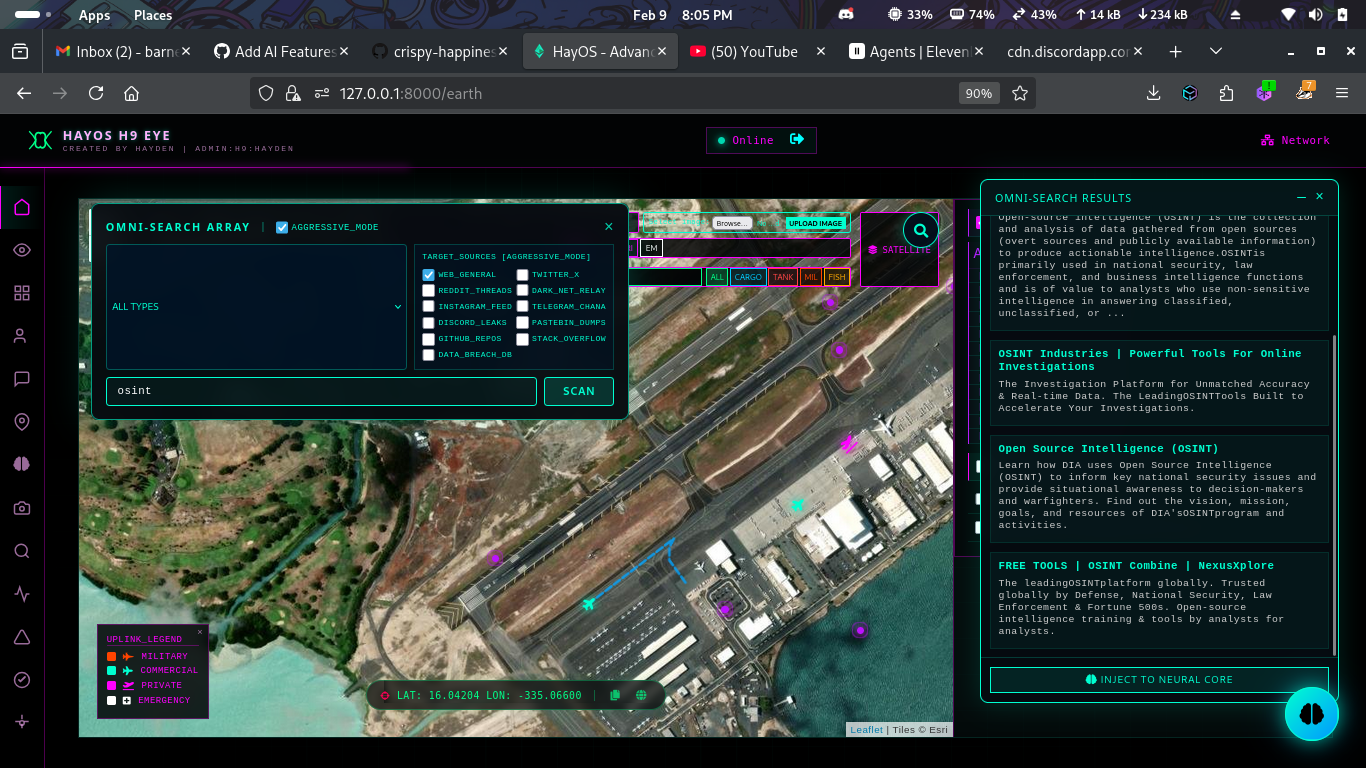
Fitur Utama
- 🗺️ Data GeoJSON - Akses ke data GeoJSON dan grid surveillance
- ✈️ Data Penerbangan Real-time - Pelacakan pesawat secara langsung
- 🚢 Pelacakan Kapal Live - Tracking vessel dengan AIS
- 🛰️ YOLO Aerial Segmentation - Segmentasi udara lanjutan dengan YOLO
- 🖼️ Analisis Gambar - Ekstraksi metadata GPS dan objek
- 📰 Berita Geopolitik - Analisis sentimen berita
- 💹 Data Market - Komoditas dan cryptocurrency
- 🌐 Translation Services - Layuran terjemahan
- 🔒 TOR Integration - Privasi enhanced
- 🤖 OLLAMA AI - Local LLM processing
- 🕵️ Dark Web Search - Pencarian anonim di .onion
- 🔍 Web Scraper - OSINT dengan Google Dorking
Persyaratan Sistem
- Python 3.x
- Linux / macOS / Windows
- Koneksi internet
Cara Instalasi
1. Clone Repository
git clone https://github.com/h9zdev/GeoSentinel.git
cd GeoSentinel
2. Setup Virtual Environment (Recommended)
python -m venv venv

# Linux/macOS
source venv/bin/activate

# Windows
venv\Scripts\activate
3. Install Dependencies
pip install -r requirements.txt4. Download Geodata Folder
Download folder geodata dari: Proton Drive
Pindahkan ke direktori root project.
5. Konfigurasi API Keys
Edit file templates/earth.html dan tambahkan TomTom API key:
const tomtomApiKey = "YOUR_TOMTOM_API_KEY";Edit app.py untuk menambahkan API keys lainnya.
6. Jalankan Aplikasi
python app.py7. Akses di Browser
- Earth View:
http://127.0.0.1:8000/earth - News Dashboard:
http://127.0.0.1:8000/news
Instalasi TOR (Opsional)
Ubuntu/Debian
sudo apt-get update
sudo apt-get install tor torbrowser-launcher -y
Start TOR Service
sudo systemctl start tor
sudo systemctl enable tor
Verifikasi TOR
curl --socks5 127.0.0.1:9050 https://check.torproject.org/api/ipInstalasi OLLAMA (Opsional)
Download dan Install
curl -fsSL https://ollama.ai/install.sh | shPull Model
ollama pull llama2
ollama pull mistral
Jalankan Server
ollama serveAPI yang Dibutuhkan
| 🌍 OpenStreetMap | Geocoding dan map data |
| ✈️ ADSB.one | Real-time flight tracking |
| 🚢 AISstream.io | Vessel tracking (AIS) |
| 📊 CoinGecko | Crypto market data |
| 📰 NewsAPI | Global news feeds |
| 🗺️ TomTom Maps | Mapping dan routing |
| 📶 OpenCellID | Cell tower location |
| 🤗 Hugging Face | AI models |
| 🤖 OpenRouter | AI model gateway |
| 📡 OpenSky Network | Flight metadata |
Video Tutorial
Lisensi
Project ini dilisensikan di bawah Creative Commons Attribution-NonCommercial 4.0 International (CC BY-NC 4.0).
Sumber: GitHub - h9zdev/GeoSentinel


0 Comments
Terima kasih atas komentarnya
Emoji